
How to Choose the Best 10G SFP Copper Module in 2026?

Choosing the best 10g Sfp Copper module in 2026 is not just a matter of finding an RJ45 port. The right choice depends on your switch, cable, distance, and cooling. A compact module can run warm, especially in a crowded switch with limited airflow. Check the manufacturer’s compatibility list before ordering. A module that fits physically may still fail to link correctly.

Computer scientist and networking author Andrew S. Tanenbaum is often quoted saying, “The nice thing about standards is that there are so many to choose from.” The line concerns standards broadly, not SFP copper modules specifically. Still, it captures a real selection challenge: published 10GBASE-T support does not guarantee identical reach, power use, or compatibility across products. Read the datasheet carefully. Confirm the supported cable category and maximum distance, then compare power and temperature limits against your switch’s specifications.

Small details matter. Measure the cable path, not just the distance between racks. Consider whether the module will sit beside other heat-producing transceivers. These checks can prevent avoidable link drops and replacement costs. This guide examines compatibility, reach, power, heat, and value to help you compare options using practical criteria. There is no universal winner. A module suited to a short office run may be a poor fit for a warm, densely packed data center. That is the awkward part. Even careful planning cannot replace testing the exact module and switch combination when reliability matters.
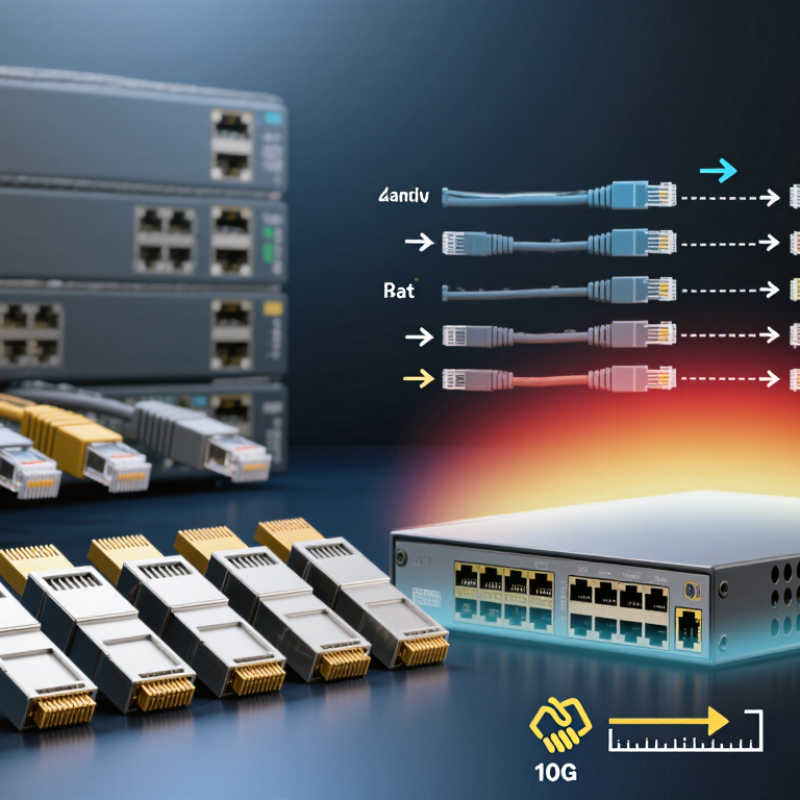
How to Choose the Best 10G SFP Copper Module in 2026?

What Is a 10G SFP Copper Module and How Does It Work?

A 10G SFP copper module is a compact 10-gigabit Ethernet transceiver that fits into an SFP+ port and connects to ordinary twisted-pair cabling through an RJ45 jack. Unlike a passive direct-attach cable, it converts electrical signals from the switch into signals suitable for 10GBASE-T copper links. Digital signal processing helps manage noise, echo, and signal loss across the cable. The connected switch and device also negotiate link speed and other settings. In practice, the module can feel like a small bridge between two different interfaces.

Distance needs careful checking.
IEEE 802.3an defines 10GBASE-T operation up to 100 meters over suitable Category 6A cabling, and the Ethernet Alliance’s 2024 Ethernet Roadmap presents the same 100-meter reach. That is the cabling standard’s reach, not a guarantee for every SFP+ copper module. Many compact modules specify shorter distances, often up to 30 meters, because power use and heat matter inside a crowded switch. Check the module’s stated cable category, maximum reach, and switch compatibility before installation. A warm port is not automatically a fault, but it deserves attention. That detail is easy to overlook.

Which Switch and Network Requirements Must You Check?

Before choosing a 10G SFP copper module, verify that the switch supports 10GBASE-T SFP+ modules. Check its hardware guide for module compatibility, port configuration, and any firmware requirements. Confirm the link speed and autonegotiation settings at both ends. IEEE 802.3an specifies up to 100 meters for 10GBASE-T over Category 6A cabling. However, a specific module may support a shorter distance. Read its reach and cable requirements carefully. A standards-compliant cable does not guarantee the module will reach 100 meters.

Power and heat matter. Copper SFP+ modules can draw more power than optical modules, so check the switch’s per-port power limit and cooling guidance. The Ethernet Alliance’s 2024 Ethernet Roadmap documents 10GbE within a broader Ethernet speed ecosystem; it is a useful reminder to check how the switch handles mixed-speed links. Also verify the module’s stated power draw and operating temperature against the switch manual. A spec sheet can still mislead. In a tightly packed rack, warm air and neighboring modules may affect stability. If the link is short, test it under normal load and monitor errors before deployment. I would not assume that matching port shapes means matching support.

How to Choose the Best 10G SFP Copper Module in 2026?

Check the switch’s SFP+ port support, module compatibility, power and thermal limits, and the cable run before choosing a 10GBASE-T copper module.

How to read this chart: IEEE 10GBASE-T supports channel lengths up to 55 m on Cat 6 under specified conditions and up to 100 m on Cat 6A. These are standard channel limits—not a guarantee for an SFP+ copper module. Many such modules have shorter reach, often up to 30 m; verify the module datasheet and your switch’s compatibility list.

How Do Speed, Cable Distance, Power, and Heat Affect Your Choice?

How to Choose the Best 10G SFP Copper Module in 2026?

How Do Speed, Cable Distance, Power, and Heat Affect Your Choice?

A 10G SFP copper module can connect a switch to equipment using ordinary twisted-pair Ethernet cabling. Check that both the module and the port support 10GBASE-T; a matching shape alone does not guarantee compatibility. For many modules, the practical 10-gigabit reach is about 30 meters over suitable Cat 6A cable. Cat 6 or older cabling may limit distance or performance. Measure the actual route, including patch cables. A short test run helps reveal weak connectors and unexpected link drops.

Power matters. Copper modules often draw more power than optical modules or short-range direct-attach cables, and that energy becomes heat inside the switch. In a densely populated rack, several modules can raise temperatures around neighboring ports. Check the device’s compatibility list, power budget, and operating-temperature limits. Leave airflow clear, and monitor temperatures after installation. I have seen distance receive more attention than heat; that is an easy mistake to make.

Tips: Use Cat 6A for dependable 10G links near the full supported reach. Keep cable runs tidy, inspect both ends, and confirm the negotiated link speed. If a port runs hot or the link flaps, test one module at a time before replacing the cable.

How Can You Compare Compatibility, Reliability, and Total Cost?

How to Choose the Best 10G SFP Copper Module in 2026?

How Can You Compare Compatibility, Reliability, and Total Cost?

Compatibility starts with the switch, not the module listing. Check the port’s supported module types, firmware requirements, and 10GBASE-T link settings. A module may fit physically yet fail to initialize. Check the port. Confirm the module’s stated cable reach; many SFP+ copper modules support shorter runs than fixed 10GBASE-T ports. Use the specified cable category and test the actual path, including patch panels.

Reliability depends on more than advertised temperature limits. Copper modules can draw significant power and produce heat, especially in tightly packed switches. Review the device’s power budget, airflow, and module operating range together. Heat matters. Check whether monitoring reports temperature or link errors, and test under sustained traffic before broad deployment. One detail is easy to overlook: a cool lab does not represent a fully loaded rack.

Compare total cost across the installation, not just the unit price. Include compatible cabling, power use, cooling, spare modules, and the labor needed to troubleshoot link drops. A cheaper module can become expensive if it requires port changes or creates unstable links. I would also leave room for uncertainty: published reach and power figures may depend on the exact switch and cable. Record the tested combination before ordering at scale.

How to Choose the Best 10G SFP Copper Module in 2026? How Can You Compare Compatibility, Reliability, and Total Cost?

Option Media and Connector Typical Reach Compatibility Checks Reliability and Operating Considerations Total-Cost Factors Best Fit
10GBASE-T SFP+ copper module Twisted-pair copper; RJ45 port; typically Cat 6A cabling for the module’s rated distance. Many SFP+ 10GBASE-T modules specify up to 30 m. The actual limit depends on the module and cable specification. Check the switch or network card’s supported-module list, port power limits, module temperature limits, and the module’s exact cable-length rating. 10GBASE-T modules can use more power and generate more heat than passive DACs or many optical modules. Confirm airflow and operating-temperature requirements. Consider the module, Cat 6A cabling, power use, cooling, and any need to replace unsupported modules. Existing RJ45 cabling may reduce installation work. Connecting a 10G SFP+ port to an RJ45 device over a short copper run.
Passive SFP+ DAC Direct-attach twinax copper cable with SFP+ connectors at both ends. Commonly used for short links of several metres; the supported length depends on the cable assembly and host ports. Verify that both connected ports support the cable assembly and its length. Check port-to-port compatibility rather than assuming every SFP+ port accepts every DAC. Few components and no separate optical transceivers make it a simple short-link option. Observe the cable’s bend radius and installation limits. Often economical for short connections because the cable and transceivers are integrated. Include replacement and routing costs if the fixed cable length is unsuitable. Short links between adjacent switches, servers, or devices in a rack.
10GBASE-SR SFP+ optics Multimode fiber; typically duplex LC connectors with compatible multimode fiber. Up to 300 m on OM3 or 400 m on OM4 for standard 10GBASE-SR applications, subject to the complete channel specification. Confirm the host supports the optical module, and match the fiber type, connector, wavelength, and link budget at both ends. Fiber avoids copper electromagnetic interference concerns, but connectors must be kept clean and the fiber protected from excessive bending. Include two optical modules, fiber cabling, cleaning supplies, and installation. Existing multimode fiber can lower the added cost. Longer 10G links where a short copper module or DAC cannot reach.
10GBASE-T native RJ45 port Twisted-pair copper; RJ45 port built into the switch or network interface. Up to 100 m can be supported by a compliant 10GBASE-T channel using suitable cabling, commonly Cat 6A; verify the equipment specifications. No SFP+ module is required, but both endpoints must support 10GBASE-T and the installed channel must meet the required cabling specification. Check equipment power, cooling, and cabling condition. Performance depends on the full channel, including patch panels and connectors. Compare the cost of equipment with native RJ45 ports against modules, cabling, power, and cooling for an SFP+ solution. New installations or longer copper runs where native 10GBASE-T ports are available.

Selection note: Module reach, power consumption, temperature limits, and host compatibility vary by product. Confirm the exact module and equipment documentation before purchase. Compare total cost over the intended service life, including cabling, power, cooling, installation, and replacement—not just the module price.

How Do You Install and Test the Selected Module?

Before installing a 10G SFP copper module, confirm the switch supports 10GBASE-T modules and their power requirements. Some ports accept only specific module types. Check the module’s stated cable category, distance limit, and temperature range; these vary. Use a compatible copper cable, and avoid tight bends near the connector.

Follow the equipment’s installation procedure. If hot swapping is supported, insert the module firmly until it seats, then connect the cable until its latch clicks. Check the link light and interface status. Configure both ends for compatible speed and autonegotiation settings. A link light alone does not prove stable performance. Send test traffic between endpoints, then inspect throughput, packet loss, and interface error counters. Let the connection run under load for several minutes. Heat can matter.

Tips: Keep a spare cable nearby. If errors rise, try a shorter, certified cable and check the module temperature. Record the port settings before changing them. I have found that a quick link test can miss intermittent faults, so leave time for a longer test. Exact results depend on the host, switch, cable, and module specifications.

Article Source: